
HVAC Email Marketing: 5 Campaigns That Produce More Revenue From Your Database
HVAC email marketing works when the owner treats the customer list as an operating asset. Your database includes past tune-up buyers, one-time repair customers, replacement estimates, maintenance agreement members, warranty contacts, and older installs approaching replacement.
Paid acquisition still matters. Industry research supplied for this topic reports $8 to $12 returned per dollar from existing HVAC databases, compared with $3 to $4 for net-new acquisition through common channels [1]. Treat those figures as benchmarks. Your outcome depends on list hygiene, offer clarity, dispatch capacity, sales follow-up, and compliance.
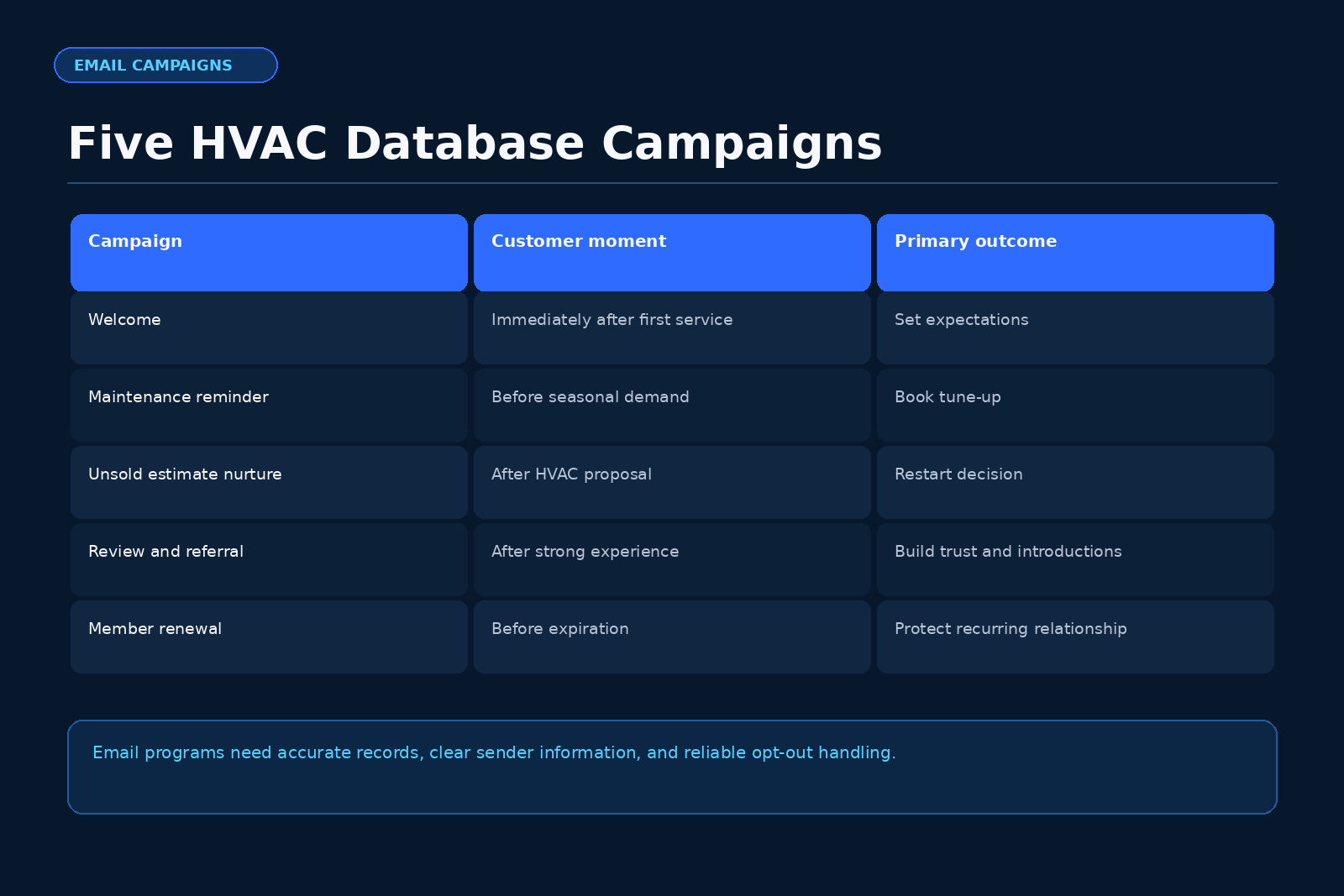
The five campaigns below create a practical lifecycle: welcome, seasonal maintenance reminder, unsold-replacement-estimate nurture, review request, and referral. Each campaign needs a clean trigger, one owner, one call to action, and a working opt-out path. The Federal Trade Commission requires accurate header information, a truthful subject line, a valid physical postal address, and a clear way to opt out that stays active for at least 30 days. You must act on opt-out requests within 10 business days [2].
Start with consent, list hygiene, and the next appointment
Your revenue system begins with clean data. Your CRM needs contact status, equipment age, install date, last service date, estimate status, maintenance agreement status, and email permission source. Missing fields block targeting and create compliance risks.
Set three rules before launch.
1) Keep one suppression list for email unsubscribes. Treat it as a permanent guardrail unless the customer later gives fresh permission through a documented path.
2) Separate email from SMS. Email follows CAN-SPAM [2]. SMS programs need separate legal review because TCPA and state rules govern consent, timing, content, and opt-out language.
3) Tie every campaign to the next operational step. A seasonal reminder books a tune-up. An unsold estimate email books a decision call or revisit. A review request links to one review page. A referral email captures enough details for dispatch or sales.
The five HVAC email campaigns your database needs
Use this table as your build sheet. Assign each campaign to a CRM trigger and an internal owner.
| Campaign | CRM trigger | Primary goal | Best audience | Call to action | Owner |
|---|---|---|---|---|---|
| Welcome and onboarding series | New customer, booked call, completed install, or new agreement | Set expectations and introduce the next service path | New service customers, install customers, new members | Confirm contact details or schedule next visit | Call center manager |
| Seasonal maintenance reminder | 30 to 45 days before cooling or heating rush | Fill tune-up capacity before peak demand | Past service customers and agreement prospects | Book a cooling or heating tune-up | Service manager |
| Unsold-replacement-estimate nurture | Estimate marked unsold or pending | Recover replacement opportunities | Open system replacement proposals | Book a decision call or revisit appointment | Sales manager |
| Review request | Job completed and invoice closed | Collect fresh customer feedback on public review channels | Happy service and install customers | Leave a review through one link | Dispatch manager |
| Referral campaign | Job completed, review submitted, or agreement renewal | Create warm inbound replacement and tune-up leads | Satisfied customers and members | Send a referred homeowner’s name and contact details | Marketing owner |
Worked illustrative calculation: unsold estimate email revenue
Use your own data. The Scale Your Offers page on database reactivation frames existing CRM history as a first operating priority and labels the model as illustrative [4].
Example inputs
| Input | Example number |
|---|---|
| Unsold replacement estimates in the CRM | 500 |
| Appointment rate from email and follow-up | 2% |
| Booked appointments | 10 |
| Close rate on booked appointments | 35% |
| Sold replacement jobs | 3.5 |
| Average replacement ticket | $12,000 |
| Illustrative signed work | $42,000 |
Calculation
500 unsold estimates × 2% appointment rate = 10 booked appointments.
10 booked appointments × 35% close rate = 3.5 sold replacement jobs.
3.5 sold replacement jobs × $12,000 average ticket = $42,000 in illustrative signed work.
Use this as a planning model. Your close rate changes with proposal quality, system urgency, financing, equipment age, technician notes, callback speed, and salesperson follow-up. For database reactivation around dormant estimates, Scale Your Offers explains the same A.C.E. order for finding the first leak in the process [4].
Campaign 1: Welcome and onboarding series
Trigger the welcome series on a booked service call, completed tune-up, signed replacement, new maintenance agreement, or first diagnostic. This campaign reduces confusion and sets the next action.
Email benchmarks cited in the supplied HVAC research report welcome open rates above 50% [3]. Treat that as a reason to send useful details.
Run a simple seven-day series.
- Email 1 immediately: confirm appointment, company name, service area phone number, arrival window, and how to reply.
- Email 2 after the visit: explain the invoice, recommended repairs, equipment age, filter size, and the maintenance agreement option when relevant.
- Email 3 three to five days later: present the best next step—schedule a tune-up, review an estimate, join the maintenance agreement, or save emergency contact details.
- Email 4 seven days later for eligible contacts: ask for reminder preferences for cooling, heating, filter changes, or indoor air quality.
Write in plain language with one action per message. State who will contact the homeowner, how to reschedule, what happens after the diagnostic, and where to book the next appointment.
Campaign 2: Seasonal maintenance reminder
Seasonal reminders create steady demand before peak weather. Send spring cooling reminders before the first heat wave and fall heating reminders before the first cold stretch. The supplied research cites 22% to 30% open rates when the call to action stays clear [3].
Build around four audience groups.
| Audience group | Message angle | Booking path |
|---|---|---|
| Current maintenance agreement members | Their included visit is ready to schedule | Direct calendar or CSR callback |
| Past tune-up customers | Their system is due before peak season | Tune-up appointment |
| Repair customers without an agreement | Their prior repair makes planned service practical | Tune-up plus agreement offer |
| Older install customers | Their system needs a performance review before heavy runtime | Technician visit or comfort advisor screen |
Launch reminders 30 to 45 days ahead so dispatch keeps control. Use plain subject lines such as “Schedule your spring AC tune-up” or “Your fall furnace visit is ready to book.”
Match sends to capacity. If you have 320 tune-up slots over six weeks and your average email produces 80 bookings, plan four waves. Send to agreement members first, then past tune-up buyers, then eligible repair customers.
Campaign 3: Unsold-replacement-estimate nurture
Unsold replacement estimates need ownership. The company already paid for the call, created the proposal, and recorded equipment details. Follow-up drives the next sale.
Run a four-to-six-email sequence over 30 days. Keep each message tied to estimate status.
- Day 1 after unsold: thank the homeowner and give a one-click path to ask questions or request a call.
- Day 3: summarize the proposal in plain language and restate the system concern that started the estimate.
- Day 7: explain repair cost, replacement timing, comfort, and efficiency. Keep the tone clear and factual.
- Day 14: give a direct scheduling link for a second visit, measurement confirmation, or proposal review.
- Day 21: answer common objections about timing, disruption, warranty, and next available install dates.
- Day 30: ask whether to keep the estimate active, update it, or pause contact.
Add a human follow-up rule. If the homeowner clicks the estimate link, replies, or visits the scheduling page, assign the contact to the comfort advisor the same day.
For owners who want a broader paid-lead and follow-up system outside the database, Scale Your Offers positions The Booked-Out Contractor as a 75-page paid-ads machine covering the offer, ads, funnel, tracking, and follow-up [5].
Campaign 4: Review request after completed HVAC work
Send the review request after job closeout and a brief evaluation period. For most service calls, 24 hours after completion works. For installs, use 24 to 72 hours after startup based on your closeout process. Trigger off job status and known satisfaction notes to avoid requests during an open complaint.
Use a short format:
- Thank the customer by name.
- Identify the service performed.
- Ask for feedback.
- Give one review link.
- Provide a direct company contact path for service concerns.
Use one button that points to the review channel that supports your HVAC lead flow. Track sends, clicks, posted reviews, and replies with concerns. Route praise to the service manager and create service recovery tasks for issues.
Campaign 5: Structured referral campaign
Ask for referrals at specific moments. Good triggers include a positive review, a completed install, a renewed maintenance agreement, or a long-term customer anniversary.
Use three referral paths.
| Referral path | Best trigger | Email promise | Internal action |
|---|---|---|---|
| Replacement referral | Completed install or positive install review | Your team will help their friend compare system options | Sales coordinator calls the referred homeowner |
| Tune-up referral | Seasonal service completion | Your team will help their friend schedule before peak demand | CSR offers open tune-up windows |
| Maintenance agreement referral | Agreement renewal | Their friend can get recurring service reminders and planned visits | CSR explains agreement terms |
If you offer referral credits, state eligibility, timing, payout method, and limits in plain language. Have counsel review incentive language where required. Keep the referral form short: name, phone, email, city, equipment concern, and permission status.
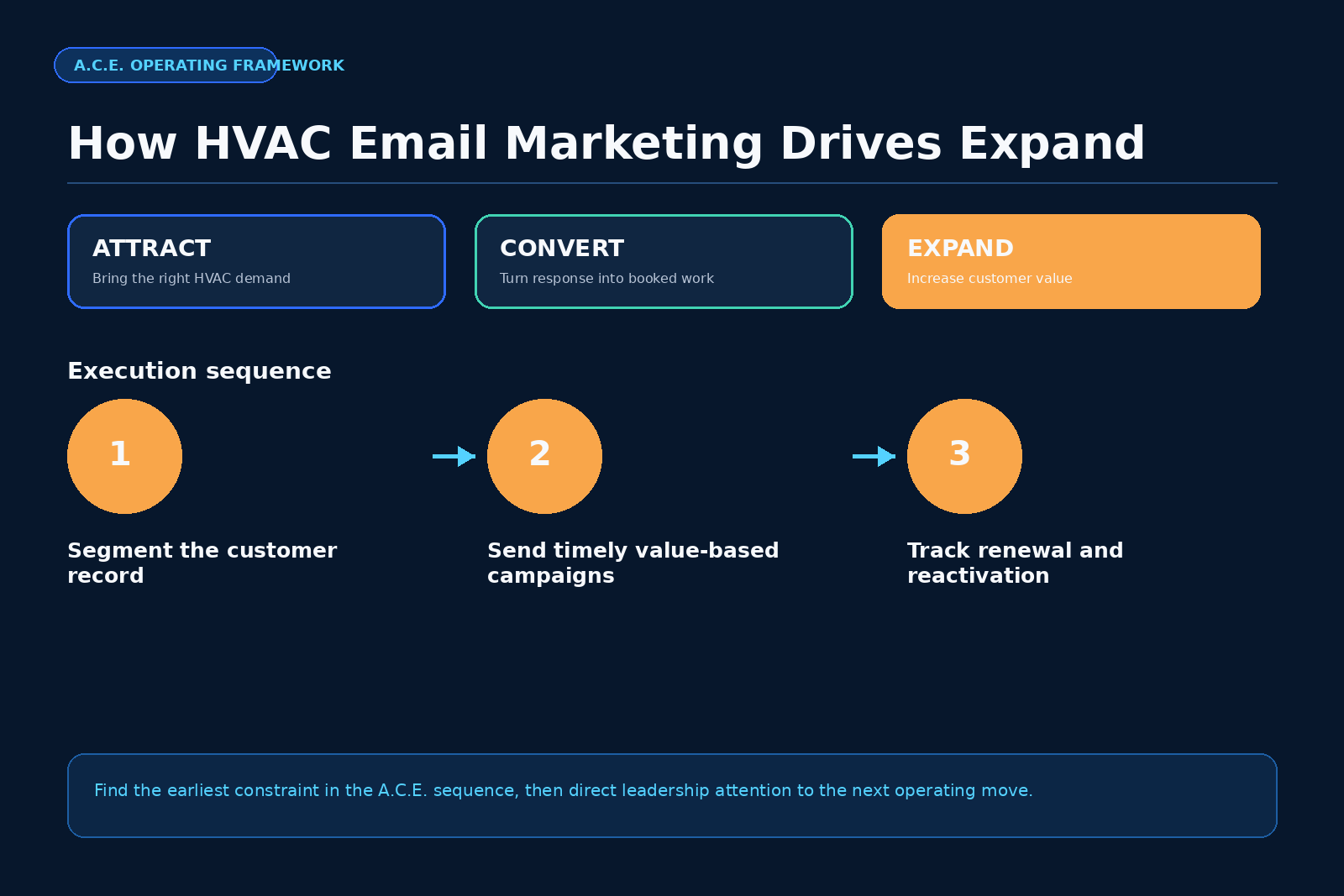
A.C.E. order for HVAC email marketing
The A.C.E. system helps an HVAC owner decide what to fix first: Attract, Convert, Expand. Address the earliest constraint before layering more campaigns [4].
Attract comes first
Attract means owned paid traffic aimed at replacement and maintenance buyers in your service area [4]. Database email helps by reactivating dormant contacts, promoting seasonal tune-ups, and creating referrals. You still need consistent inbound demand from the market.
Convert comes second
Convert covers response speed, qualification, booking, presentations, and estimate follow-up [4]. Email produces replies, clicks, calls, and form fills. Your team must respond fast. A seasonal send that generates 30 booking requests becomes a Convert problem if CSRs wait two days to call back. Unsold nurture fails if advisors lack daily follow-up tasks. Review emails fail if complaints do not reach a manager. Define response time, call ownership, booking scripts, estimate status updates, and next-step tasks.
Expand comes third
Expand covers maintenance agreements, repair-to-replacement paths, indoor air quality, and database reactivation [4]. This article sits in Expand because the five campaigns use the database to create more visits, estimates, agreements, reviews, and referrals. Start Expand work after you confirm that Attract and Convert have no earlier leak severe enough to block revenue. For a full-funnel inspection across all three stages, the A.C.E. Audit offers an external review of lead flow, follow-up, and database campaigns [7].
Operating rules for launch
Launch the five campaigns with clean triggers and tight ownership.
Use these operating rules.
- Define the send audience. Your CRM should identify who receives the email and who stays out.
- Check consent records. Record how the contact entered the database and whether they opted out.
- Use one call to action. Ask for one action: book, reply, review, refer, or schedule a call.
- Assign daily follow-up. A manager should see clicks, replies, form fills, and booked appointments every business day.
- Track revenue stage. Show email sent, appointment booked, estimate given, job sold, and agreement added.
- Clean the list monthly. Remove bad addresses, honor unsubscribes, update bounced emails, and merge duplicates.
- Review campaign capacity. Do not send 5,000 tune-up reminders when dispatch has only 150 open visits.
- Use a plain compliance checklist. Every commercial email needs accurate header data, a truthful subject line, a postal address, and a working unsubscribe path [2].
Metrics that matter
Track metrics that connect to booked work. Opens help diagnose sender issues. Clicks show interest. Replies show buying signals. Booked appointments show operational traction. Sold work shows revenue.
Build one dashboard per campaign:
- Welcome: next visits booked, agreements joined, estimate review calls.
- Seasonal: tune-up bookings, agreement upgrades, open capacity.
- Unsold estimates: reactivated appointments, sold replacements, average ticket.
- Reviews: emails sent, review link clicks, posted reviews, service recovery tasks.
- Referrals: referred contacts, booked calls, sold jobs, credits issued.
Review weekly during the first 60 days. Keep subject line tests small. Fix targeting, CRM triggers, and follow-up before rewriting every email.
FAQ
1. How often should an HVAC company email its database?
An HVAC company should email based on customer status and season. Maintenance members may get appointment reminders, visit confirmations, and renewal messages. Past repair customers may get seasonal tune-up reminders. Unsold replacement estimates may get a 30-day nurture sequence. Frequency should follow the customer’s equipment status and consent record.
2. Do HVAC marketing emails need an unsubscribe link?
Yes. The FTC states that commercial email needs a clear opt-out method, and opt-out requests must receive action within 10 business days [2]. Each email also needs accurate header information, a truthful subject line, and a valid physical postal address [2].
3. Should unsold replacement estimates receive the same emails as tune-up customers?
No. Unsold replacement estimates need proposal-specific follow-up. Tune-up customers need seasonal booking reminders and maintenance agreement education. Separate the audiences so each homeowner gets a message that matches their equipment status and next buying step.
4. What should an HVAC owner build first?
Start with the earliest A.C.E. constraint. If Attract lacks enough local demand, fix lead flow. If Convert leaks calls, bookings, or estimate follow-up, fix response and sales process. If those stages work, build Expand campaigns for maintenance agreements, repair-to-replacement paths, review requests, referrals, and database reactivation.
Your HVAC database already contains service history, equipment age, estimate data, and customer timing signals. Take the Lead Flow Score assessment to identify whether Attract, Convert, or Expand is the first leak holding your next stage back. The page describes the assessment as 12 questions, 90 seconds, no cost, and an instant result [6].
References
- Business Development Resources, “7 Proven Steps To Grow Your HVAC Business”
- Federal Trade Commission, “CAN-SPAM Act: A Compliance Guide for Business”
- ZyraTalk, “HVAC Email Marketing: How to Maximize Engagement”
- Scale Your Offers, “The Fastest Money”
- Scale Your Offers, “The Booked-Out Contractor”
- Scale Your Offers, “Lead Flow Score”
- Scale Your Offers, “A.C.E. Audit”