
The Best HVAC CRM and Follow-Up Systems in 2026
An HVAC CRM follow up system should turn inbound demand into booked calls, quoted replacement appointments, signed estimates, maintenance agreements, and clean reporting. The software matters because every missed call, slow form reply, stale estimate, and expired agreement reduces return from the lead spend already paid.
The best system for a $3M to $10M HVAC company is the one your office team, comfort advisors, installers, and service technicians will use daily. It must receive leads fast, route work cleanly, track estimates, trigger follow-up, manage maintenance agreements, and show the owner where revenue leaks occur.
This article gives you an HVAC-only selection scorecard. It does not rank vendors by brand preference. It gives you an operating test that you can use before a demo, during a demo, and after implementation.
The HVAC CRM scorecard for 2026
Use the scorecard below before you compare software pricing. A lower monthly software fee can cost more if the system delays responses, buries unsold replacement estimates, or leaves agreement renewals to memory.
| CRM area | What the system must do | Test during the demo | Owner score |
|---|---|---|---|
| Response speed | Capture calls, forms, texts, and social messages in one queue | Time the first alert and first outbound reply | 1 to 5 |
| Lead qualification | Record equipment age, system type, urgency, location, and homeowner intent | Build a required intake form for replacement and service calls | 1 to 5 |
| Booking workflow | Move a qualified lead into a booked appointment without duplicate data entry | Book a live sample call from lead source to calendar | 1 to 5 |
| Estimate follow-up | Trigger tasks, texts, emails, and call prompts for unsold estimates | Build 24-hour, 48-hour, 72-hour, and 7-day follow-up | 1 to 5 |
| Maintenance agreements | Track active, expired, renewal, tune-up due, and payment status | Pull a list of agreements expiring in the next 30 days | 1 to 5 |
| Repair-to-replacement | Flag older systems, high repair bills, and repeat breakdowns | Create a rule that sends qualified repair calls to a comfort advisor | 1 to 5 |
| Reporting | Show source, booked rate, close rate, average ticket, and follow-up completion | Pull a daily report by lead source and sales rep | 1 to 5 |
| Database reactivation | Segment past customers and unsold estimates for outbound campaigns | Build a list of unsold replacement estimates from the last 12 months | 1 to 5 |
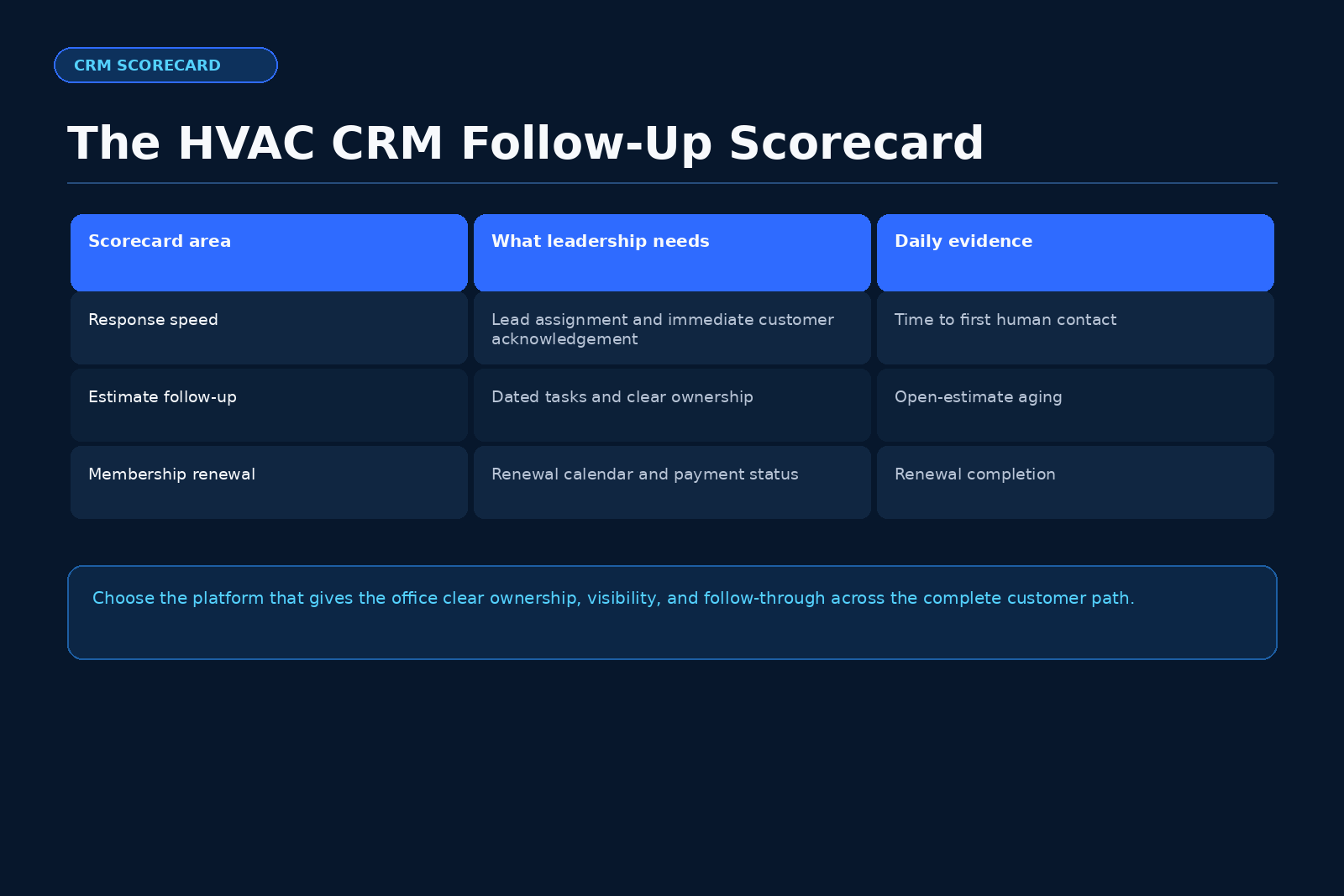
A system with a score below 28 out of 40 needs extra review before you sign a contract. A system with strong sales screens and weak follow-up can still leak revenue. A system with strong dispatch tools and weak replacement tracking can still leave high-ticket work idle.
The CRM should serve your operating process. It should not force every dispatcher, technician, and comfort advisor into a workflow that slows down calls during peak demand.
Start with the earliest constraint
Assess the business in A.C.E. order. Attract brings maintenance and replacement buyers from the service area. Convert covers response speed, qualification, booking, presentations, and estimate follow-up. Expand covers maintenance agreements, referrals, indoor air quality, repair-to-replacement, and database reactivation [1].
If lead flow is weak, CRM work will not fix empty calendars. If lead flow is steady and booked appointments lag, Convert is the earliest constraint. If booked calls and estimates run well, Expand often becomes the next revenue lever.
For this article, the operating assumption is clear. Your HVAC company already has lead sources, technicians, installers, sales activity, and customer records. The CRM decision belongs in Convert first because the system must protect paid inbound demand from slow response, loose handoffs, and missed estimate follow-up.
Why response speed belongs at the top of the list
Response speed deserves first review because it affects every paid lead source. The Scale Your Offers A.C.E. material defines Convert as speed to lead, qualification, booking, and quoted-job follow-up [2]. Workato’s 2026 study of B2B demo requests cites prior Harvard Business Review research that found lead-qualification odds dropped when response time moved from five minutes to ten minutes [3]. That evidence comes from B2B research, so use it as directional evidence for response discipline, not as a home-services conversion promise.
The practical lesson still applies to HVAC. A replacement inquiry, emergency cooling request, furnace issue, or heat pump question loses urgency when the office waits too long. Your CRM should catch the inquiry, assign it, log it, and trigger a reply while the homeowner still wants action.
A strong HVAC CRM response workflow includes:
- Instant lead capture from forms, call tracking, texts, and social messages.
- A clear owner for each lead within the office.
- Required qualification fields for system age, equipment type, service area, urgency, and requested time.
- An automated text or email that confirms receipt.
- A human call attempt as fast as staffing allows.
- A missed-lead queue that managers review daily.
- A source report that shows which campaigns create booked calls.
Automation should start the conversation. It should not replace the booking standard. HVAC buyers still need accurate scheduling, arrival windows, and clear next steps.
Estimate follow-up separates a CRM from a contact list
A contact list stores names. A real HVAC CRM drives action after the estimate. Replacement estimates often stall because the comfort advisor leaves the home, enters a note, and moves to the next appointment. The system must create the next task before memory fades.
Your estimate workflow should track these stages:
- Estimate created.
- Estimate presented.
- Customer received options.
- Follow-up call due.
- Financing discussion pending, if applicable.
- Decision date recorded.
- Lost reason recorded.
- Rehash attempt complete.
- Future replacement date set.
- Customer returned to maintenance or service nurture.
Use required fields for every replacement quote. At minimum, capture equipment type, age, tonnage or capacity range, proposed system options, quoted amount, decision maker status, desired install timing, and next follow-up date. The CRM should block quote closure until the sales rep selects a real outcome.
You should also separate service repair estimates from full replacement estimates. A blower motor quote, heat exchanger concern, compressor failure, refrigerant leak, or repeat heat pump breakdown may need a repair-to-replacement path. The CRM should flag these jobs for a manager or comfort advisor review.
Worked illustrative calculation: what stale estimates can represent
This calculation is illustrative. Replace every input with your own figures.
Assume your HVAC company has 180 unsold replacement estimates from the last 12 months. Assume your team runs a focused follow-up sequence for 14 days. Assume 5% of those homeowners book a new appointment. Assume 30% of those appointments close. Assume the average replacement ticket is $11,500.
| Input | Figure |
|---|---|
| Unsold replacement estimates | 180 |
| Appointment booking rate | 5% |
| Booked appointments | 9 |
| Close rate on booked appointments | 30% |
| Sold replacements | 2.7 |
| Average replacement ticket | $11,500 |
| Illustrative signed work | $31,050 |
Calculation:
180 unsold estimates x 5% booking rate = 9 booked appointments.
9 booked appointments x 30% close rate = 2.7 sold replacements.
2.7 sold replacements x $11,500 average ticket = $31,050 in illustrative signed work.
This model does not promise revenue. It shows why the CRM must make stale estimates visible. Scale Your Offers also uses an illustrative HVAC database model on its database reactivation page, where owners replace inputs with their real figures [2].
For a deeper treatment of database reactivation and follow-up, read The Fastest Money, which frames existing HVAC customer records as a first operating priority when those records contain prior estimates, service history, and CRM activity [2].
Maintenance agreement workflows need owner visibility
Maintenance agreements create future calls, equipment conversations, indoor air quality opportunities, and replacement timing data. Your CRM should treat agreements as a managed revenue system.
The system should show:
| Agreement status | Required CRM view |
|---|---|
| Active | Customer, plan type, system count, renewal date, tune-up due date |
| Due for tune-up | Customer, preferred season, assigned outbound task |
| Payment failed | Customer, payment date, contact attempt status |
| Expiring soon | Customer, renewal window, outbound sequence |
| Expired | Customer, last service date, win-back task |
| Multiple systems | Equipment list, filter dates, accessory history |
| Older equipment | Replacement flag, repair history, comfort advisor task |
Do not let agreement renewals live inside a single office employee’s head. The CRM should show the owner how many agreements exist, how many tune-ups are due, how many agreements expired, and which customers may need indoor air quality add-ons or replacement education.
Chameleon CRM’s HVAC CRM material discusses maintenance agreements, recurring billing, and customer tracking as CRM areas for HVAC companies [8]. Use that source as feature research, then test each vendor against your own office process.
Reporting should expose leakage by stage
A sales manager should not need three spreadsheets to answer basic operating questions. The CRM should show where calls, leads, estimates, and agreements move each day.
Track these reports at minimum:
- New leads by source.
- Speed to first human call attempt.
- Contact rate by source.
- Booked rate by source.
- Canceled appointment rate.
- Service call average ticket.
- Replacement appointment set rate.
- Replacement estimate close rate.
- Unsold replacement estimate count by age.
- Maintenance agreement renewal rate.
- Technician-generated lead count.
- Comfort advisor follow-up completion.
- Revenue by truck.
- Install backlog from sold replacement work.
Relay Financial’s 2026 HVAC CRM overview lists CRM selection areas that include scheduling, dispatching, customer data, invoicing, and reporting [5]. Treat those as table stakes. For a growing HVAC company, the stronger test is whether the owner can see the leak before the month ends.
Daily visibility beats end-of-month cleanup. If a source sends 40 leads and only 10 book, you need that data while the campaign still runs. If a comfort advisor has 22 open estimates with no task due, you need that before the next sales meeting.
Automation rules that fit HVAC sales
Automation works best when it handles predictable handoffs. It should not create spam. It should create speed, consistency, and accountability.
Build these rules first:
- New replacement lead rule: Send alert to dispatcher and sales manager. Create call task within five minutes. Send confirmation text.
- Missed call rule: Create same-day callback task. Tag source and campaign.
- Booked replacement appointment rule: Send appointment confirmation, system age intake form, and arrival window.
- Presented estimate rule: Create follow-up task for the next business day.
- No-decision estimate rule: Send option recap and create manager review task after 72 hours.
- High-repair rule: Flag equipment above your chosen age threshold when repair amount exceeds your chosen trigger.
- Tune-up due rule: Create outbound task before the seasonal schedule fills.
- Expired agreement rule: Send renewal sequence and create call task.
- Install complete rule: Trigger registration task, review request if your process allows it, and maintenance agreement offer.
- IAQ opportunity rule: Tag customers with comfort concerns, filtration needs, humidity concerns, or repeat dust complaints.
Use clear language in every message. The homeowner should understand who contacted them, why the company contacted them, and what action they can take next.
Compliance and consent need a documented process
Email and text follow-up need care. The FTC’s CAN-SPAM guide says commercial email must include a clear and conspicuous opt-out method, keep the opt-out mechanism available for at least 30 days after sending, and honor opt-out requests within 10 business days [4].
SMS and automated calling rules differ from email rules. Get qualified legal review for your SMS program, consent language, suppression lists, and revocation handling. Your CRM should allow opt-out tracking by channel. It should also prevent your team from contacting suppressed records through a campaign.
Practical CRM requirements include:
- Consent source stored on the customer record.
- Channel preference stored on the customer record.
- Email opt-out status.
- SMS opt-out status.
- Suppression list controls.
- Campaign audit history.
- User permissions for bulk sends.
- Exportable records for internal review.
Compliance screens are not cosmetic. They protect the company from sloppy list use and keep the team aligned on approved communication paths.
Vendor demo script for HVAC owners
A polished demo can hide weak day-to-day workflow. Ask the vendor to perform the actual actions your team performs every day.
Use this demo script:
- Create a new replacement lead from a website form.
- Show the alert that the dispatcher receives.
- Assign the lead to a call taker.
- Enter system age, concern, location, and preferred appointment time.
- Book the appointment.
- Send a confirmation text.
- Create a three-option replacement estimate.
- Mark the estimate as presented.
- Trigger a 24-hour follow-up task.
- Move the estimate to lost with a reason.
- Reactivate that estimate 90 days later.
- Add a maintenance agreement.
- Mark the agreement as expiring soon.
- Pull a report showing lead source, booked rate, estimate close rate, and open follow-up tasks.
Score the vendor after the demo. Do not score based on slides. Score based on whether the workflow matches your service area, your dispatch process, your sales process, and your install capacity.
Implementation plan for the first 30 days
The CRM rollout needs a tight start. The first month should focus on the few workflows that protect revenue fastest.
| Week | Operating focus | Owner checkpoint |
|---|---|---|
| Week 1 | Lead sources, users, permissions, service area rules, call tracking | Every inbound source enters the CRM |
| Week 2 | Booking workflow, required fields, dispatch handoff, appointment confirmation | No booked call lacks source and appointment status |
| Week 3 | Replacement estimate workflow, follow-up tasks, lost reasons | Every open estimate has a next action |
| Week 4 | Maintenance agreement views, reactivation lists, reporting dashboard | Owner reviews daily report without spreadsheets |
The owner should inspect the CRM every day during rollout. A manager can run setup, but ownership must set the operating standard. If the system launches with optional fields, weak status names, and vague tasks, the team will create dirty data during the first busy week.
Training should use real HVAC calls and estimates. Use last month’s replacement leads, tune-up requests, no-cool calls, no-heat calls, heat pump inquiries, IAQ questions, and unsold estimates. Your team learns faster when the screens match the work they already know.
Owners who need a paid ads and follow-up primer can read The Booked-Out Contractor, a $2.95 book, which the page describes as a 75-page guide with six free tools intended to take the system live within 30 days [6].
A.C.E. section: select the CRM by stage
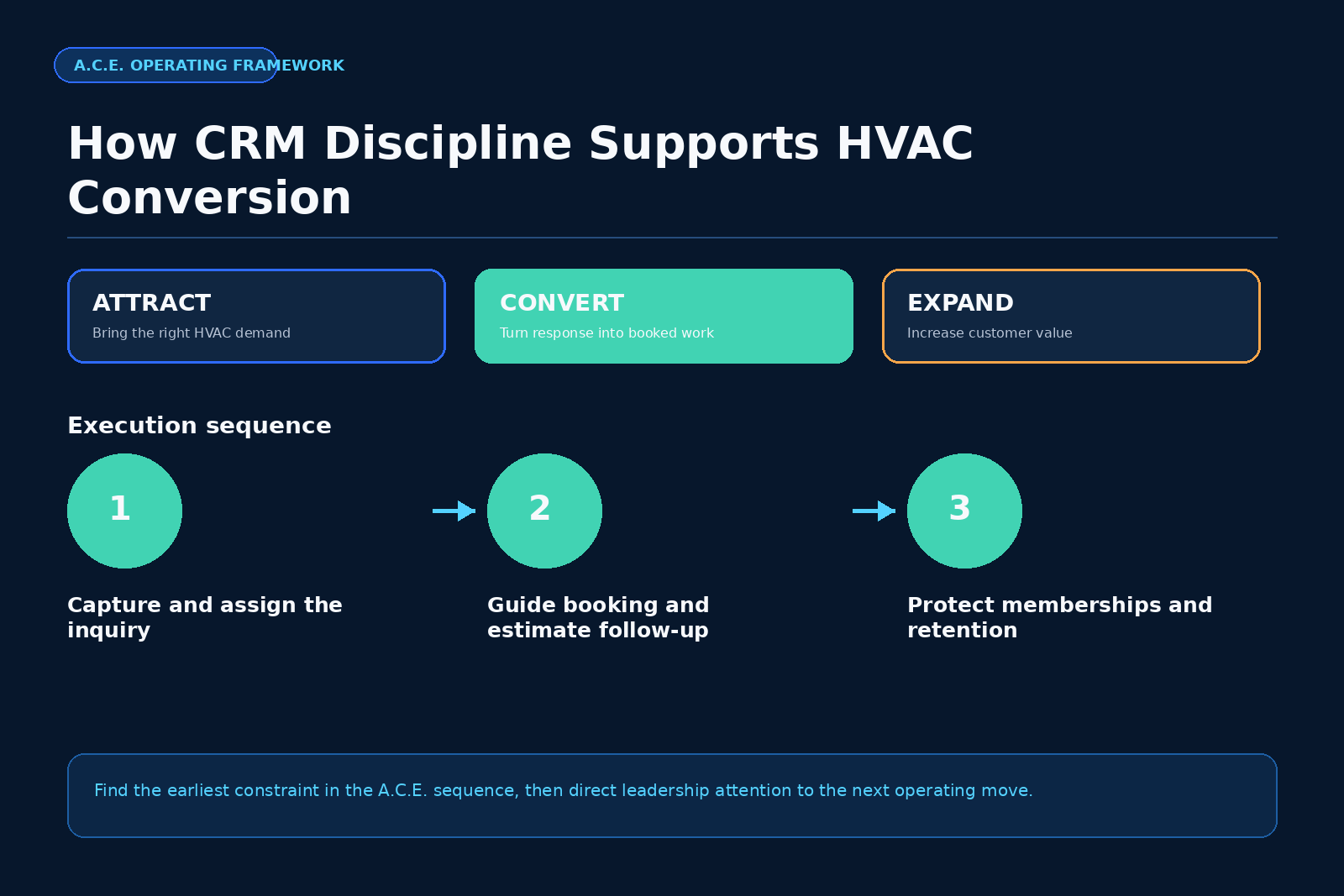
Start with the earliest constraint.
Attract: This stage brings owned paid traffic from the service area for replacement and maintenance buyers [2]. If your calendar lacks lead volume, fix the source, message, offer, funnel, tracking, and lead intake before you blame the CRM. The CRM still matters, but weak lead flow limits what Convert can process.
Convert: This stage covers speed to lead, qualification, booking, and quoted-job follow-up [2]. The HVAC CRM follow up system mainly lives here. It must capture demand, assign ownership, book calls, drive estimate follow-up, and give managers daily visibility. If you have leads and the calendar leaks, Convert is the first place to work.
Expand: This stage covers maintenance agreements, repair-to-replacement paths, indoor air quality, and database reactivation [2]. Once Convert runs cleanly, the CRM should create more revenue from customers already in the database. Agreement renewal tasks, IAQ tags, replacement timing flags, and unsold estimate campaigns belong here.
This sequence matters because software cannot fix every bottleneck at once. A company with weak Attract may buy a CRM and still have empty boards. A company with weak Convert may buy more leads and still miss appointments. A company with weak Expand may close jobs and still miss repeat revenue from its own customer base.
For a diagnostic view of your current constraint, use the ACE Assessment. The page describes the Lead Flow Score as 12 questions, about 90 seconds, no cost, and an instant result [7].
Final selection checklist
Use this checklist before signing:
- The system captures every inbound HVAC lead source.
- The first response workflow triggers fast enough for your staffing model.
- The booking screen captures system type, urgency, service area, and source.
- The calendar works for service calls, sales appointments, and installs.
- The proposal workflow handles replacement options.
- The estimate follow-up workflow creates dated tasks.
- Managers can see stale estimates by rep.
- Maintenance agreement records include renewal and tune-up status.
- Repair-to-replacement flags work from service history.
- IAQ tags and follow-up lists are easy to pull.
- Reports show source, booked rate, close rate, average ticket, and revenue.
- Consent and opt-out fields exist by channel.
- User permissions protect customer data.
- Import rules protect data quality.
- The vendor can train office staff, technicians, and comfort advisors on your workflows.
A good HVAC CRM should make the next action obvious. It should show who owns the lead, when the customer expects contact, what estimate remains open, which agreement needs renewal, and where the owner should inspect the pipeline.
FAQ
What is the best HVAC CRM follow up system in 2026?
The best HVAC CRM follow up system is the one that fits your lead flow, dispatch process, sales process, replacement estimate workflow, maintenance agreement program, and reporting needs. Use a scorecard for response speed, booking, estimate follow-up, agreement tracking, automation, and reporting before you compare price.
How fast should an HVAC company respond to inbound leads?
An HVAC company should respond as fast as its staffing model allows, with instant capture and immediate assignment as the standard. Workato’s 2026 B2B study cites prior research showing lower qualification odds when response time moved from five minutes to ten minutes, which gives directional backing for fast response discipline [3].
What CRM features matter most for HVAC replacement sales?
The most useful features for HVAC replacement sales include lead source tracking, required qualification fields, appointment booking, three-option estimate records, dated follow-up tasks, lost reason tracking, rehash lists, and reporting by comfort advisor.
Should maintenance agreements live inside the HVAC CRM?
Yes. Maintenance agreements should live inside the CRM because agreement status, tune-up timing, renewal tasks, equipment age, repair history, IAQ interest, and replacement timing all affect future revenue.
If you want to find the first leak in your HVAC growth system before you buy or replace software, take the ACE Assessment. It gives you a fast read on whether Attract, Convert, or Expand should receive attention first, so your CRM decision fits the actual bottleneck.
References
- Scale Your Offers, ACE Assessment
- Scale Your Offers, The Fastest Money
- Workato, Lead Response Time Study
- Federal Trade Commission, CAN-SPAM Act Compliance Guide for Business
- Relay Financial, Best HVAC CRM Software 2026
- Scale Your Offers, The Booked-Out Contractor
- Scale Your Offers, Lead Flow Score
- Chameleon CRM, Best CRM for HVAC Companies